
Lesson overview
See how algorithms, programming, data, systems, networks and cybersecurity fit together.
Focus: Core GCSE Computer Science study habits.
What you will learn
- Understand the main areas of GCSE Computer Science.
- Use a calm routine for algorithm, programming and theory questions.
- Recognise when a question asks for a method, a definition, code or an explanation.
- Start using precise vocabulary without overcomplicating answers.
Before you start
- Basic experience using computers.
- Some confidence with logical instructions helps but is not required.
- Everyday ideas about passwords, files, apps and the internet.
Course map starter
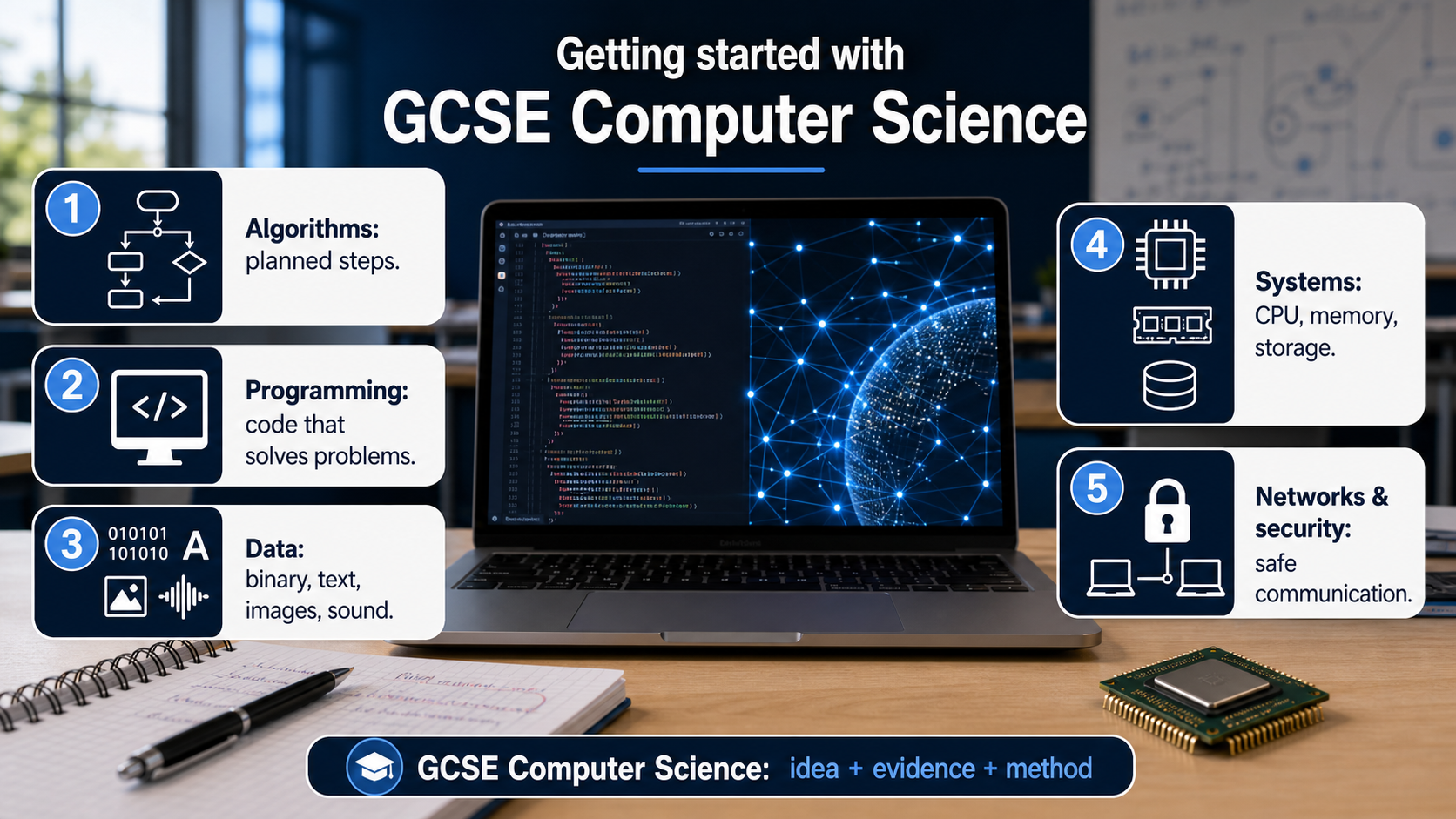
Use the short prompts below to sort examples into algorithm, programming, data, systems, networks and security thinking.
GCSE Computer Science big picture infographic
Explanation
Computer Science is about describing problems clearly enough that a computer can help solve them. Some lessons focus on designing steps, some on writing programs, and some on understanding the hardware and networks that run those programs.
A strong answer usually does three things: uses the right term, applies it to the situation, and avoids vague wording. For example, saying a program 'checks the password against a stored value' is clearer than saying it 'does security'.
When you feel stuck, identify the question type first. A trace question needs careful line-by-line working. A programming question needs a small, testable solution. A theory explanation needs the correct idea applied to the context.
Worked examples
Sorting the question type
Question: A program asks for a user's age and displays whether they can buy a ticket.
Algorithm thinking: identify the input, decision and output.
Programming thinking: write an if statement with a comparison.
Answer: The same problem can be planned as an algorithm and then implemented as code.
Quick checks
1. Which phrase best describes an algorithm?
- a. A computer's physical memory chip
- b. A random password
- c. A step-by-step method for solving a problem
Reveal answer
Answer: c. Correct. An algorithm is a clear sequence of steps.
Not quite. Think about planned steps before code.
2. A question asks you to follow variable values through code. What method should you use?
- a. A trace table
- b. A network cable
- c. A file extension
Reveal answer
Answer: a. Correct. A trace table records values as code runs.
Not quite. Use a method that tracks changing values.
Practice
1. Classify this task: convert 13 into binary.
Reveal answer
Answer: Data representation.
Marking: Credit recognising that binary is part of representing data.
2. Classify this task: explain why a firewall can reduce unauthorised access.
Reveal answer
Answer: Cybersecurity or networks.
Marking: Credit either, with a security explanation.
3. Classify this task: write steps for finding the largest number in a list.
Reveal answer
Answer: Algorithms.
Marking: Credit algorithm design, especially comparison and iteration.
4. Why is precise vocabulary important in Computer Science?
Reveal answer
Answer: It makes the method or explanation unambiguous.
Marking: Credit clarity, accuracy and reducing vague answers.
Exam practice ladder
- Fluency: recall the key term and use it accurately.
- Application: apply the idea to the scenario rather than giving a generic definition.
- Algorithmic reasoning: show the steps, condition or variable change clearly.
- Evaluation: explain why one method, structure or control is suitable.
Answers and marking guidance
Exact answers and marking guidance are hidden under each question. For this lesson, earn marks by naming the correct Computer Science idea, applying it to the scenario and showing the logic or value change clearly.
Common mistakes
- Writing about computers generally instead of answering the specific problem.
- Using code when the question asks for an explanation.
- Using vague words such as stuff, thing or it without naming the component or value.
- Skipping working in trace, binary or algorithm questions.
Extension
Pick one app you use. Describe one input, one process, one output and one security check it might use.
Next lesson
Next, continue with Computational Thinking.
Exam-board guidance
Aplailasain is an independent learning resource and is not endorsed by any exam board.
AQA GCSE Computer Science
AQA GCSE Computer Science: this skill supports problem solving, clear algorithms and accurate programming explanations.
OCR GCSE Computer Science
OCR GCSE Computer Science: expect precise algorithm reasoning, trace work and careful use of programming vocabulary.
Pearson Edexcel GCSE Computer Science
Pearson Edexcel GCSE Computer Science: practise explaining the method as well as giving the final answer or code.
Eduqas GCSE Computer Science
Eduqas GCSE Computer Science: secure the transferable idea first, then check how your class applies it in tasks.
WJEC Wales
WJEC Wales: use accurate terminology and show enough working for the examiner to follow your logic.
CCEA
CCEA: connect the idea to your class route and use the same algorithm, programming or systems vocabulary your teacher uses.