
Lesson overview
Store multiple values, read indexed positions and handle text as character data.
Focus: Lists, arrays and strings.
What you will learn
- Explain why collections store related values together.
- Read values using an index.
- Recognise that strings are sequences of characters.
- Avoid common off-by-one indexing mistakes.
Before you start
- Variables and data types.
- Count-controlled loops.
- Basic string examples such as usernames.
Indexed data examples
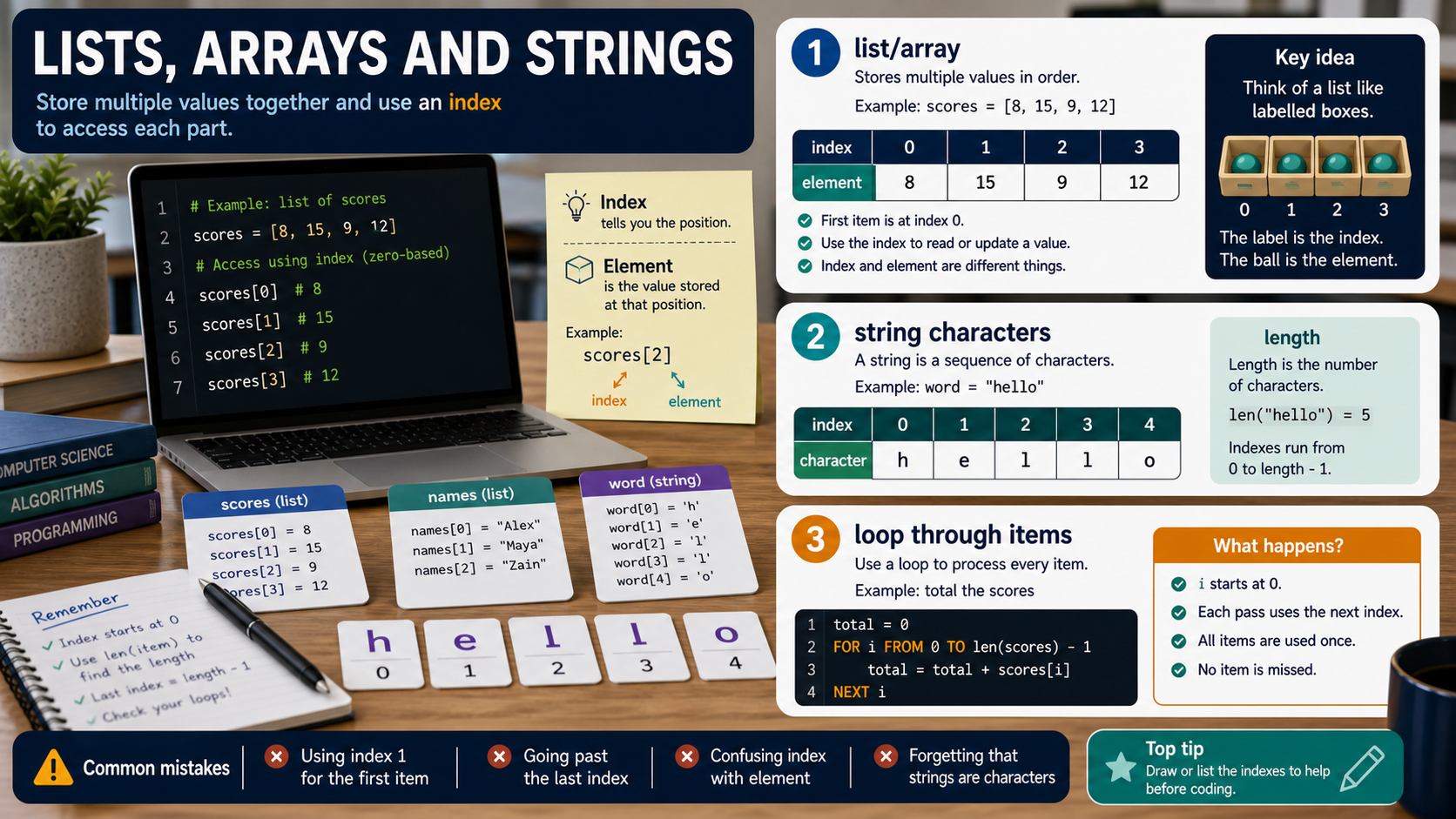
Use the scores list and username string examples below to practise reading positions and explaining indexing.
Lists, arrays and strings infographic
Explanation
A list or array stores multiple related values under one name. This is useful for scores, names, readings or menu options.
An index identifies a position in the collection. Many programming languages start indexing at 0, so the first item is at index 0.
A string is text made from characters. It can often be processed using similar ideas: each character has a position.
Worked examples
Reading from a scores list
scores = [4, 9, 12]
scores[0] is 4
scores[2] is 12
Answer: With zero-based indexing, the third value is at index 2.
Quick checks
1. In a zero-based list, what index is the first item?
- a. 1
- b. 10
- c. 0
Reveal answer
Answer: c. Correct. Zero-based indexing starts at 0.
Not quite. Many programming languages count positions from 0.
2. What is a string made from?
- a. Characters
- b. Only integers
- c. Only Boolean values
Reveal answer
Answer: a. Correct. A string is a sequence of characters.
Not quite. Text is stored as characters.
Practice
1. For colours = ['red', 'blue', 'green'], what is colours[1] with zero-based indexing?
Reveal answer
Answer: blue.
Marking: Credit recognising index 1 is the second item.
2. Why use a list for five test scores instead of five separate variable names?
Reveal answer
Answer: The values are related and can be processed together more easily.
Marking: Credit grouping and easier iteration.
3. What is one common indexing mistake?
Reveal answer
Answer: Using 1 for the first item in a zero-based list.
Marking: Credit off-by-one errors.
4. In the string 'cat', what character is at index 0?
Reveal answer
Answer: c.
Marking: Credit first character with zero-based indexing.
Exam practice ladder
- Fluency: recall the key term and use it accurately.
- Application: apply the idea to the scenario rather than giving a generic definition.
- Algorithmic reasoning: show the steps, condition or variable change clearly.
- Evaluation: explain why one method, structure or control is suitable.
Answers and marking guidance
Exact answers and marking guidance are hidden under each question. For this lesson, earn marks by naming the correct Computer Science idea, applying it to the scenario and showing the logic or value change clearly.
Common mistakes
- Forgetting whether the language starts indexing at 0 or 1.
- Using an index outside the collection's range.
- Confusing the value at an index with the index itself.
- Treating a string as one indivisible block when character positions matter.
Extension
Write pseudocode that loops through a list of scores and counts how many are greater than 10.
Next lesson
Next, continue with Subroutines, Functions and Procedures.
Exam-board guidance
Aplailasain is an independent learning resource and is not endorsed by any exam board.
AQA GCSE Computer Science
AQA GCSE Computer Science: this skill supports problem solving, clear algorithms and accurate programming explanations.
OCR GCSE Computer Science
OCR GCSE Computer Science: expect precise algorithm reasoning, trace work and careful use of programming vocabulary.
Pearson Edexcel GCSE Computer Science
Pearson Edexcel GCSE Computer Science: practise explaining the method as well as giving the final answer or code.
Eduqas GCSE Computer Science
Eduqas GCSE Computer Science: secure the transferable idea first, then check how your class applies it in tasks.
WJEC Wales
WJEC Wales: use accurate terminology and show enough working for the examiner to follow your logic.
CCEA
CCEA: connect the idea to your class route and use the same algorithm, programming or systems vocabulary your teacher uses.