
Lesson overview
Explain core operating system roles and distinguish them from utility software tasks.
Focus: Operating systems and utility software.
What you will learn
- Describe an operating system as software that manages hardware and provides services for applications.
- Explain memory, processor, file, device and user-interface management.
- Recognise utility software such as antivirus, backup, compression and disk tools.
- Apply operating system and utility roles to practical scenarios.
Before you start
- Computer hardware basics.
- Memory and storage.
- Files and applications.
System-software scenarios
Use the printing, file saving, multitasking, antivirus and backup examples below to identify operating system or utility roles.
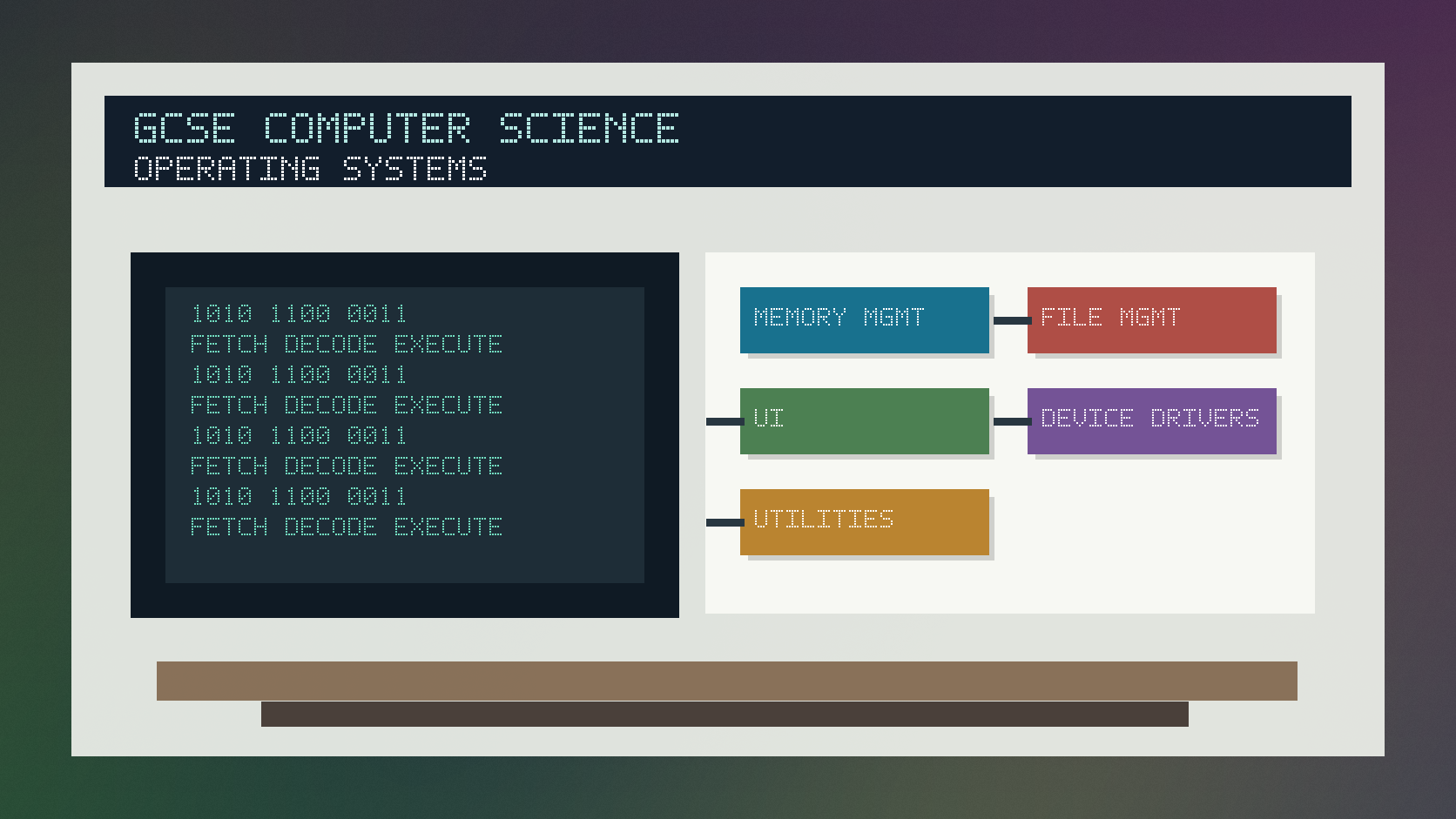
Operating systems and utility software infographic
Explanation
An operating system manages the computer's resources and provides a platform for applications to run.
Common operating system roles include managing memory, scheduling processor time, managing files, controlling devices and providing a user interface.
Utility software performs maintenance or support tasks, such as antivirus scanning, backup, compression, encryption and disk management.
Worked examples
Classifying a role
A user saves a document into a folder.
The system records the file name, location and permissions.
The file can be opened again later.
Answer: This is file management, a core operating system role.
Quick checks
1. What does an operating system manage?
- a. Only printed posters
- b. Only hexadecimal digits
- c. Hardware resources and services for applications
Reveal answer
Answer: c. Correct. It manages resources and supports applications.
Not quite. Think about the software between hardware and apps.
2. Which is an example of utility software?
- a. Antivirus software
- b. A CPU core
- c. A network cable
Reveal answer
Answer: a. Correct. Antivirus is utility software.
Not quite. Utilities are support or maintenance programs.
Practice
1. Name one operating system function.
Reveal answer
Answer: Memory management, processor scheduling, file management, device management or user interface.
Marking: Credit any valid OS role.
2. Why does an OS manage memory?
Reveal answer
Answer: So programs and data can be loaded, allocated and kept separate while running.
Marking: Credit allocation, loading or preventing conflicts.
3. Give one task utility software might perform.
Reveal answer
Answer: Antivirus scanning, backup, compression, encryption or disk cleanup.
Marking: Credit valid utility role.
4. Is a graphical user interface usually an OS feature or a backup utility?
Reveal answer
Answer: An OS feature.
Marking: Credit user-interface role.
Exam practice ladder
- Fluency: recall the key term and use it accurately.
- Application: apply the idea to the scenario rather than giving a generic definition.
- Algorithmic reasoning: show the steps, condition or variable change clearly.
- Evaluation: explain why one method, structure or control is suitable.
Answers and marking guidance
Exact answers and marking guidance are hidden under each question. For this lesson, earn marks by naming the correct Computer Science idea, applying it to the scenario and showing the logic or value change clearly.
Common mistakes
- Calling every program an operating system.
- Confusing application software with system software.
- Listing utility names without explaining their task.
- Forgetting the OS acts as an interface between users, applications and hardware.
Extension
Explain how the operating system is involved when a user opens a large image file from an SSD.
Next lesson
Next, continue with Translators, Compilers and Interpreters.
Exam-board guidance
Aplailasain is an independent learning resource and is not endorsed by any exam board.
AQA GCSE Computer Science
AQA GCSE Computer Science: this skill supports problem solving, clear algorithms and accurate programming explanations.
OCR GCSE Computer Science
OCR GCSE Computer Science: expect precise algorithm reasoning, trace work and careful use of programming vocabulary.
Pearson Edexcel GCSE Computer Science
Pearson Edexcel GCSE Computer Science: practise explaining the method as well as giving the final answer or code.
Eduqas GCSE Computer Science
Eduqas GCSE Computer Science: secure the transferable idea first, then check how your class applies it in tasks.
WJEC Wales
WJEC Wales: use accurate terminology and show enough working for the examiner to follow your logic.
CCEA
CCEA: connect the idea to your class route and use the same algorithm, programming or systems vocabulary your teacher uses.