
Lesson overview
Identify embedded systems and explain how dedicated hardware and software control specific tasks.
Focus: Embedded systems.
What you will learn
- Define an embedded system as a computer system built into a larger device.
- Recognise examples such as washing machines, traffic lights, cars and medical devices.
- Explain why embedded systems are designed for specific tasks.
- Compare embedded systems with general-purpose computers.
Before you start
- CPU and memory basics.
- Input, processing and output.
- Everyday experience with electronic devices.
Device-classification examples
Use the appliance, car, smartwatch and laptop examples below to decide whether each is embedded or general purpose.
Embedded systems infographic
Explanation
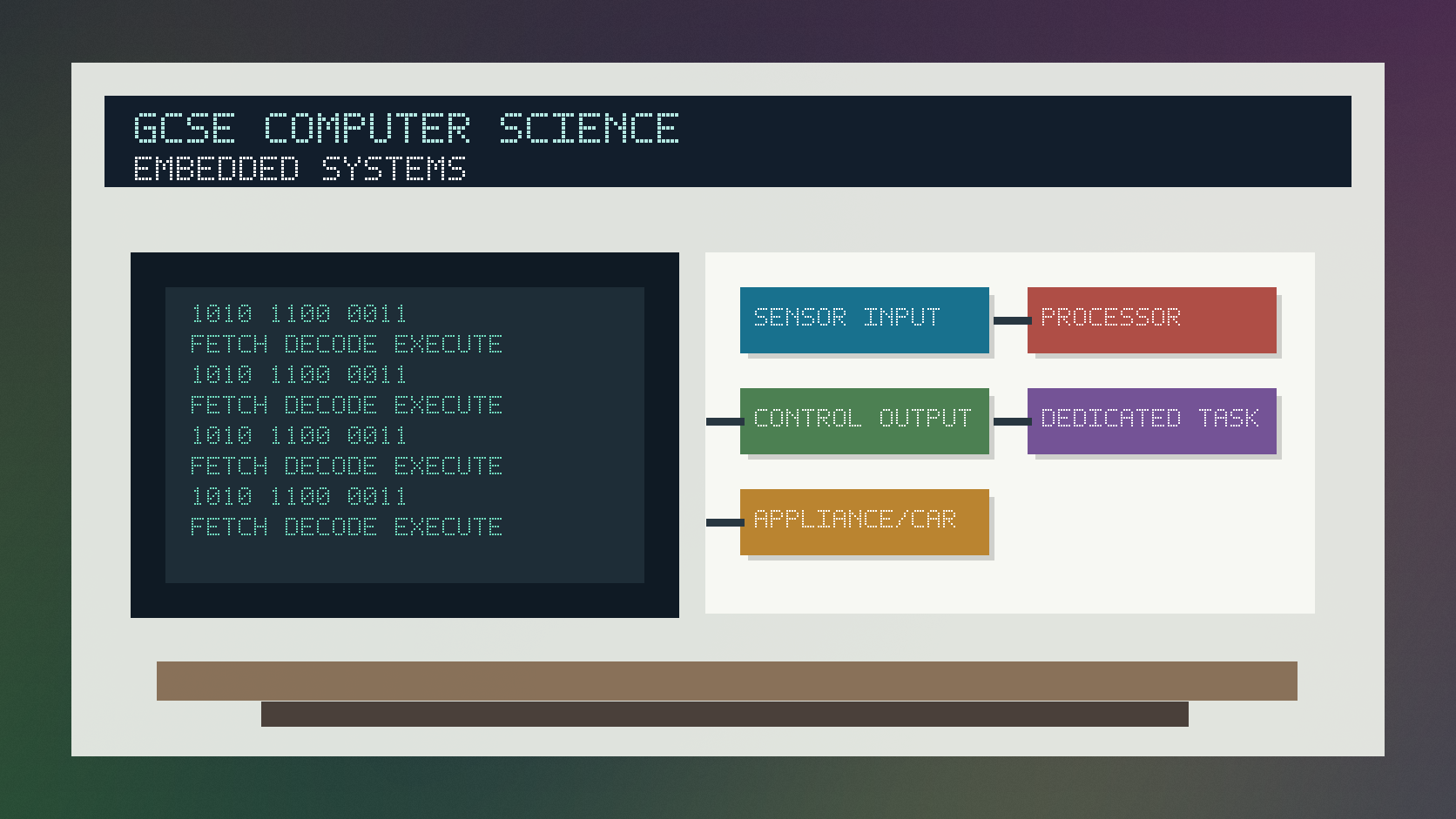
An embedded system is a computer system built into another device, usually to control a specific function.
Embedded systems often use sensors for input, a processor for control logic and actuators or displays for output.
Unlike a general-purpose computer, an embedded system is usually designed around a narrow set of tasks, which can make it cheaper, smaller and more reliable for that job.
Worked examples
Identifying an embedded system
A washing machine senses water level and drum speed.
It runs a program that controls valves, heating and spin cycles.
The computer system is built into the appliance.
Answer: This is an embedded system because it is built into a larger device to perform a dedicated control task.
Quick checks
1. Which example is most clearly an embedded system?
- a. A desktop computer
- b. A blank spreadsheet
- c. A microwave controller
Reveal answer
Answer: c. Correct. The controller is built into a device for a specific job.
Not quite. Look for a computer inside a larger device.
2. Why are embedded systems often task-specific?
- a. They are designed to control a dedicated function
- b. They are always used for gaming
- c. They cannot process input
Reveal answer
Answer: a. Correct. They are designed around a particular control role.
Not quite. Embedded systems usually process input and control outputs.
Practice
1. Is a traffic light controller embedded or general purpose?
Reveal answer
Answer: Embedded.
Marking: Credit built into infrastructure for a specific control task.
2. Give one input an embedded heating controller might use.
Reveal answer
Answer: Temperature from a sensor.
Marking: Credit suitable sensor input.
3. Give one output an embedded heating controller might control.
Reveal answer
Answer: A heater or boiler switch.
Marking: Credit suitable actuator/control output.
4. Give one advantage of using an embedded system.
Reveal answer
Answer: It can be small, cheap, reliable or efficient for a dedicated task.
Marking: Credit valid context-linked advantage.
Exam practice ladder
- Fluency: recall the key term and use it accurately.
- Application: apply the idea to the scenario rather than giving a generic definition.
- Algorithmic reasoning: show the steps, condition or variable change clearly.
- Evaluation: explain why one method, structure or control is suitable.
Answers and marking guidance
Exact answers and marking guidance are hidden under each question. For this lesson, earn marks by naming the correct Computer Science idea, applying it to the scenario and showing the logic or value change clearly.
Common mistakes
- Calling every electronic device a general-purpose computer.
- Forgetting the system is built into a larger device.
- Listing examples without explaining the dedicated task.
- Ignoring sensor input and control output.
Extension
Choose one car safety feature and describe the embedded system inputs, processing and outputs it might use.
Next lesson
Next, continue with Operating Systems and Utility Software.
Exam-board guidance
Aplailasain is an independent learning resource and is not endorsed by any exam board.
AQA GCSE Computer Science
AQA GCSE Computer Science: this skill supports problem solving, clear algorithms and accurate programming explanations.
OCR GCSE Computer Science
OCR GCSE Computer Science: expect precise algorithm reasoning, trace work and careful use of programming vocabulary.
Pearson Edexcel GCSE Computer Science
Pearson Edexcel GCSE Computer Science: practise explaining the method as well as giving the final answer or code.
Eduqas GCSE Computer Science
Eduqas GCSE Computer Science: secure the transferable idea first, then check how your class applies it in tasks.
WJEC Wales
WJEC Wales: use accurate terminology and show enough working for the examiner to follow your logic.
CCEA
CCEA: connect the idea to your class route and use the same algorithm, programming or systems vocabulary your teacher uses.