
Lesson overview
Store values using clear variable names and choose suitable data types for each value.
Focus: Variables and data types.
What you will learn
- Explain a variable as a named storage location for a value.
- Choose suitable names for values used in a program.
- Recognise common data types including integer, real, Boolean, character and string.
- Explain why choosing the correct data type matters.
Before you start
- Input, processing and output.
- Basic arithmetic values.
- Everyday examples of names, scores and yes/no answers.
Variable choice scenarios
Use the score, username, temperature and logged-in examples to choose variable names and data types.
Variables and data types infographic
Explanation
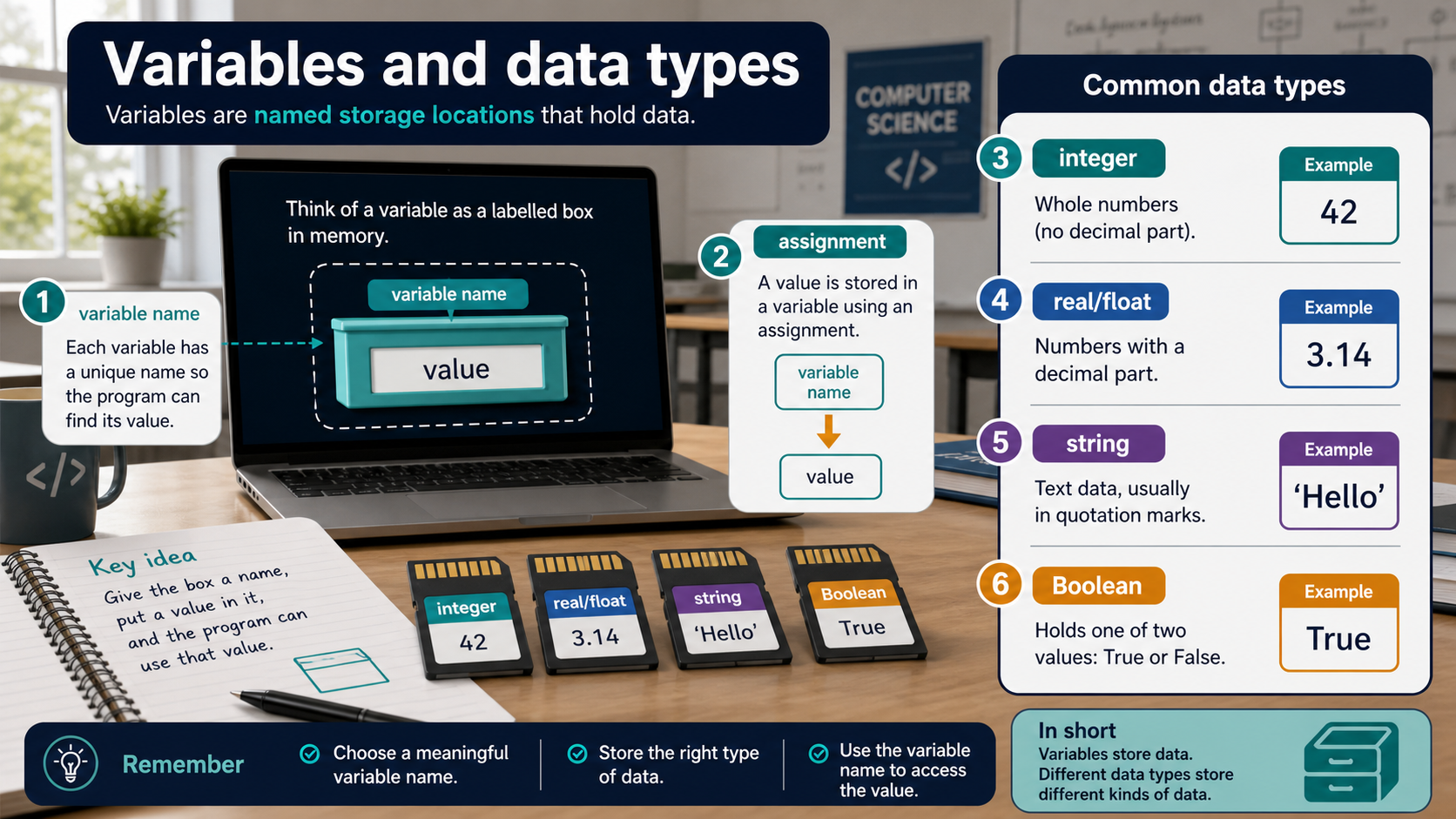
A variable gives a value a name so the program can store it, change it and use it later. The name should make the meaning clear.
A data type describes the kind of value being stored. An integer is a whole number, a real number can include decimals, a Boolean is true or false, a character is one symbol, and a string is text made from characters.
Choosing a suitable data type helps prevent errors. A score can usually be an integer, a username should be a string, and a logged-in flag should be Boolean.
Worked examples
Choosing types for a quiz
score stores the number of correct answers, so integer is suitable.
playerName stores text, so string is suitable.
isComplete stores true or false, so Boolean is suitable.
Answer: The chosen names and data types make the program easier to read and test.
Quick checks
1. Which data type is most suitable for a whole-number score?
- a. String
- b. Boolean
- c. Integer
Reveal answer
Answer: c. Correct. A score such as 7 is a whole number.
Not quite. Match the type to the kind of value.
2. Which value is a Boolean?
- a. true
- b. Alex
- c. 3.5
Reveal answer
Answer: a. Correct. Boolean values are true or false.
Not quite. Boolean means a two-state logical value.
Practice
1. Choose a suitable data type for username.
Reveal answer
Answer: String.
Marking: Credit string because usernames are text.
2. Choose a suitable variable name for the number of lives left in a game.
Reveal answer
Answer: livesLeft or numberOfLives.
Marking: Credit a clear descriptive name.
3. Why is x a weak variable name for a pupil's age?
Reveal answer
Answer: It does not explain what the value represents.
Marking: Credit readability and maintainability.
4. Give one example of a real number in a program.
Reveal answer
Answer: A temperature such as 18.5 or a price such as 2.99.
Marking: Credit a decimal value used sensibly.
Exam practice ladder
- Fluency: recall the key term and use it accurately.
- Application: apply the idea to the scenario rather than giving a generic definition.
- Algorithmic reasoning: show the steps, condition or variable change clearly.
- Evaluation: explain why one method, structure or control is suitable.
Answers and marking guidance
Exact answers and marking guidance are hidden under each question. For this lesson, earn marks by naming the correct Computer Science idea, applying it to the scenario and showing the logic or value change clearly.
Common mistakes
- Using vague variable names when the meaning matters.
- Storing numbers as text when calculations are needed.
- Confusing a character with a string.
- Treating Boolean values as words instead of true or false states.
Extension
Design variables for a fitness tracker app: steps, distance, username and daily goal reached.
Next lesson
Next, continue with Operators and Expressions.
Exam-board guidance
Aplailasain is an independent learning resource and is not endorsed by any exam board.
AQA GCSE Computer Science
AQA GCSE Computer Science: this skill supports problem solving, clear algorithms and accurate programming explanations.
OCR GCSE Computer Science
OCR GCSE Computer Science: expect precise algorithm reasoning, trace work and careful use of programming vocabulary.
Pearson Edexcel GCSE Computer Science
Pearson Edexcel GCSE Computer Science: practise explaining the method as well as giving the final answer or code.
Eduqas GCSE Computer Science
Eduqas GCSE Computer Science: secure the transferable idea first, then check how your class applies it in tasks.
WJEC Wales
WJEC Wales: use accurate terminology and show enough working for the examiner to follow your logic.
CCEA
CCEA: connect the idea to your class route and use the same algorithm, programming or systems vocabulary your teacher uses.