
Lesson overview
Explain how analogue sound is sampled and how sample rate and resolution affect quality and file size.
Focus: Sound sampling.
What you will learn
- Describe sampling as measuring an analogue sound wave at regular intervals.
- Explain sample rate as the number of samples taken per second.
- Explain sample resolution as the number of bits used per sample.
- Relate sample rate, resolution and duration to file size.
Before you start
- Binary and storage units.
- Multiplication.
- Everyday understanding that sound changes over time.
Audio-file examples
Use the sample rate, sample resolution and duration examples below to practise estimating uncompressed sound size.
Sound sampling infographic
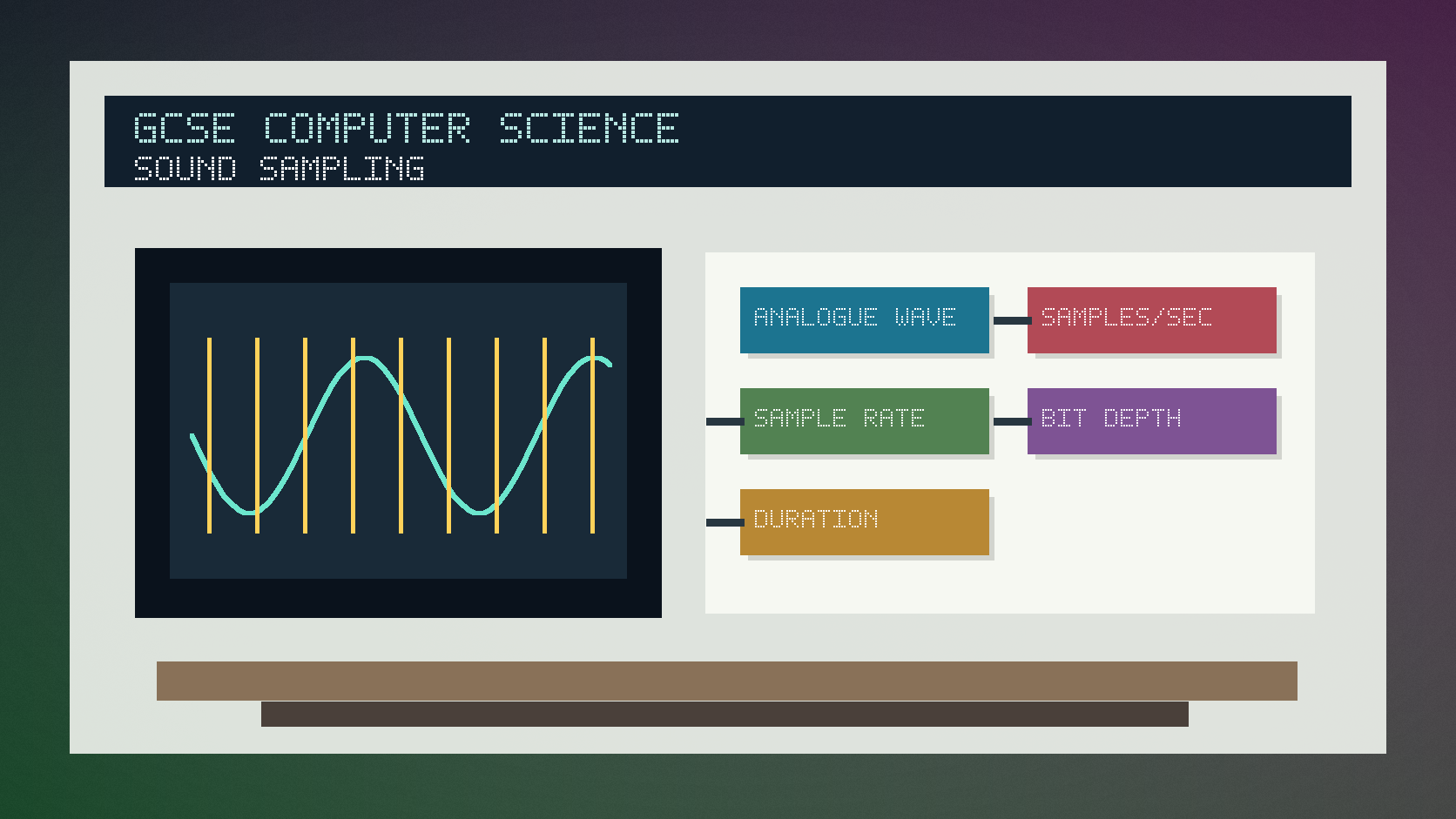
Explanation
Sound is analogue in the real world, so it changes continuously. To store it digitally, a computer samples the sound wave at regular intervals.
Sample rate is how many samples are taken each second. A higher sample rate can capture more detail but increases file size.
Sample resolution is how many bits are used for each sample. More bits can represent more possible amplitude values but also increases storage.
Worked examples
Estimating sound size
A mono audio clip lasts 10 seconds.
It is sampled at 1000 samples per second with 8 bits per sample.
1000 x 8 x 10 = 80,000 bits.
Answer: The uncompressed audio data is 80,000 bits, before extra file information or compression.
Quick checks
1. What is sample rate?
- a. The number of samples taken per second
- b. The number of colours in an image
- c. The size of the CPU cache
Reveal answer
Answer: a. Correct. Sample rate measures samples per second.
Not quite. Sampling is about measuring sound over time.
2. What usually happens when sample resolution increases?
- a. No data is stored
- b. More bits are stored per sample
- c. The file becomes text only
Reveal answer
Answer: b. Correct. More bits per sample can improve accuracy and increase file size.
Not quite. Resolution describes bits used for each sample.
Practice
1. A clip uses 500 samples per second for 4 seconds. How many samples are taken?
Reveal answer
Answer: 2000 samples.
Marking: Credit 500 x 4.
2. A 2-second mono clip uses 1000 samples per second and 8 bits per sample. How many bits are needed?
Reveal answer
Answer: 16,000 bits.
Marking: Credit 1000 x 8 x 2.
3. Give one benefit of a higher sample rate.
Reveal answer
Answer: It can capture the sound wave more accurately.
Marking: Credit improved quality or more detail.
4. Give one drawback of a higher sample resolution.
Reveal answer
Answer: It increases file size.
Marking: Credit more bits stored per sample.
Exam practice ladder
- Fluency: recall the key term and use it accurately.
- Application: apply the idea to the scenario rather than giving a generic definition.
- Algorithmic reasoning: show the steps, condition or variable change clearly.
- Evaluation: explain why one method, structure or control is suitable.
Answers and marking guidance
Exact answers and marking guidance are hidden under each question. For this lesson, earn marks by naming the correct Computer Science idea, applying it to the scenario and showing the logic or value change clearly.
Common mistakes
- Confusing sample rate with sample resolution.
- Forgetting to multiply by duration.
- Assuming higher quality has no storage cost.
- Writing bytes when the calculation asked for bits.
Extension
Compare two sound files with the same duration: one has a higher sample rate, one has a higher sample resolution. Explain how each affects quality and size.
Next lesson
Next, continue with Lossy and Lossless Compression.
Exam-board guidance
Aplailasain is an independent learning resource and is not endorsed by any exam board.
AQA GCSE Computer Science
AQA GCSE Computer Science: this skill supports problem solving, clear algorithms and accurate programming explanations.
OCR GCSE Computer Science
OCR GCSE Computer Science: expect precise algorithm reasoning, trace work and careful use of programming vocabulary.
Pearson Edexcel GCSE Computer Science
Pearson Edexcel GCSE Computer Science: practise explaining the method as well as giving the final answer or code.
Eduqas GCSE Computer Science
Eduqas GCSE Computer Science: secure the transferable idea first, then check how your class applies it in tasks.
WJEC Wales
WJEC Wales: use accurate terminology and show enough working for the examiner to follow your logic.
CCEA
CCEA: connect the idea to your class route and use the same algorithm, programming or systems vocabulary your teacher uses.